

About this resource
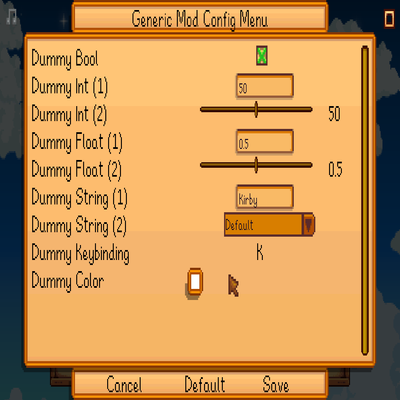
Generic Mod Config Menu adds an in-game UI to edit other mods' config options, matching the official summary. It only works for mods designed to support it.
Players can edit settings from the title screen (the cog button) or in-game (at the bottom of the in-game options menu). Some mods may allow editing only from the title screen. Changes take effect after saving; the game usually does not need to be restarted. For Content Patcher packs that expose config options, Content Patcher adds the config UI automatically.
To install: install the latest SMAPI, unzip the mod folder into the game's Mods directory, and launch the game through SMAPI.
The shipped manifest lists Name Generic Mod Config Menu, UniqueID spacechase0.GenericModConfigMenu, Version 1.16.0, MinimumApiVersion 4.1, MinimumGameVersion 1.6.14, and EntryDll GenericModConfigMenu.dll. The manifest Author field is kittycatcasey; the site author field follows the official project author, spacechase0. The official file listing gives game version 1.6.15. The official dependency list is empty.
Official notes also describe compatibility with Stardew Valley 1.5.5 or later, with Linux, macOS, and Windows, and with both single-player and multiplayer. There are no official screenshots, so the body includes none; only the cover is used.