About this resource
Decorative furniture for the Stardew Valley catalogue
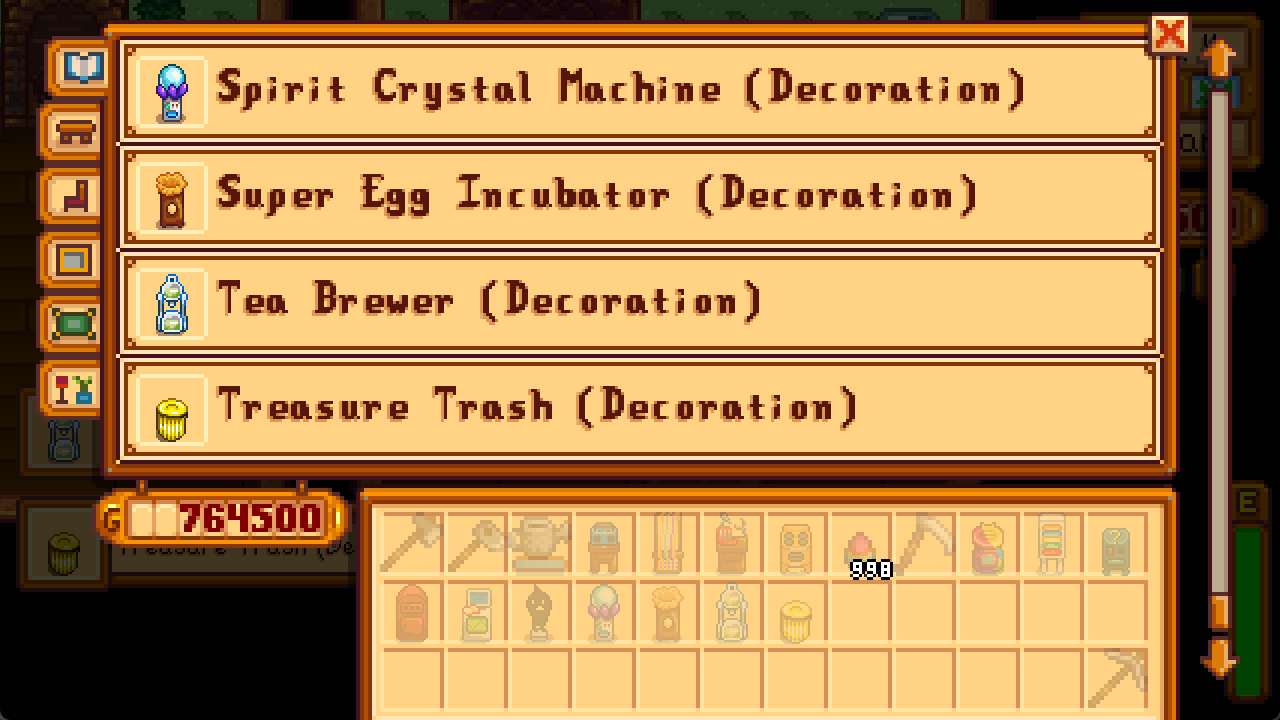
[CP] Kehaan’s Additional Decorations is a Content Patcher pack by Kehaan. It adds decorative furniture based on Kehaan's custom machines, objects, and artwork. All items are visual-only and can be found in the Furniture Catalogue, sold at Robin's.
Features and defaults
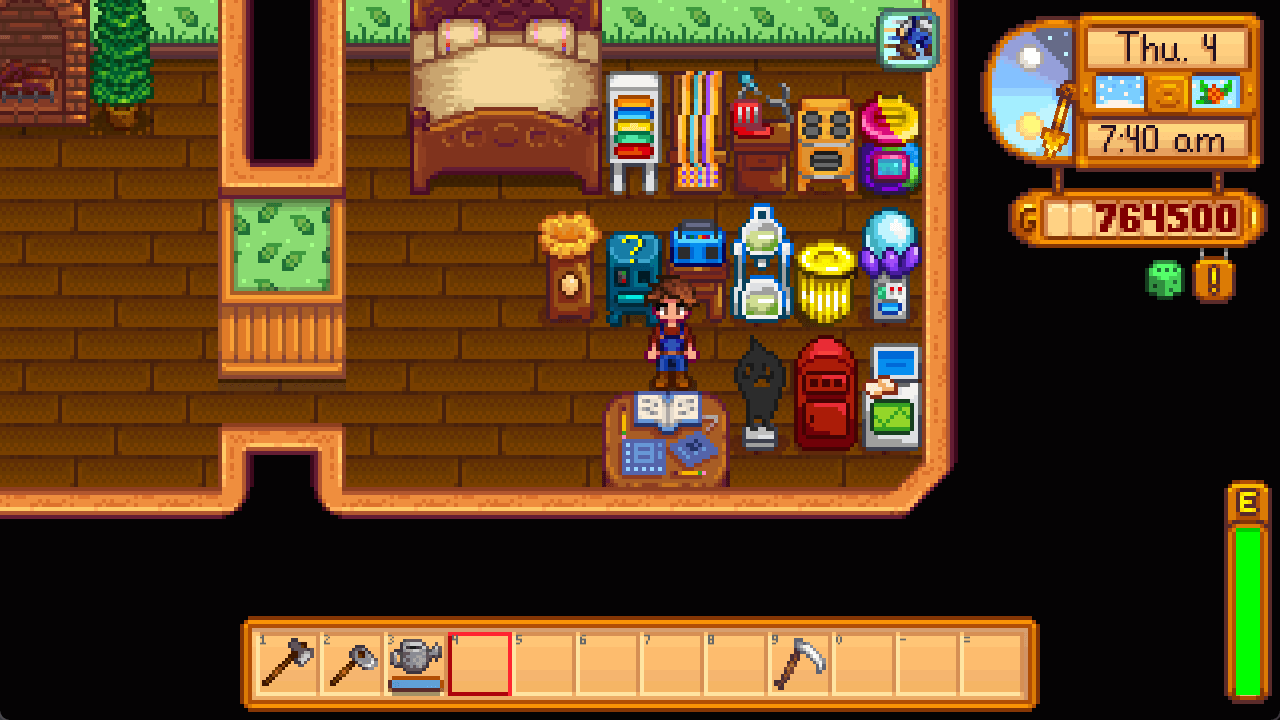
- Machine decorations: decorative versions of the Boombox, Enchanted Loom, Gadget Assembler, Magic Worm Bin, and more.
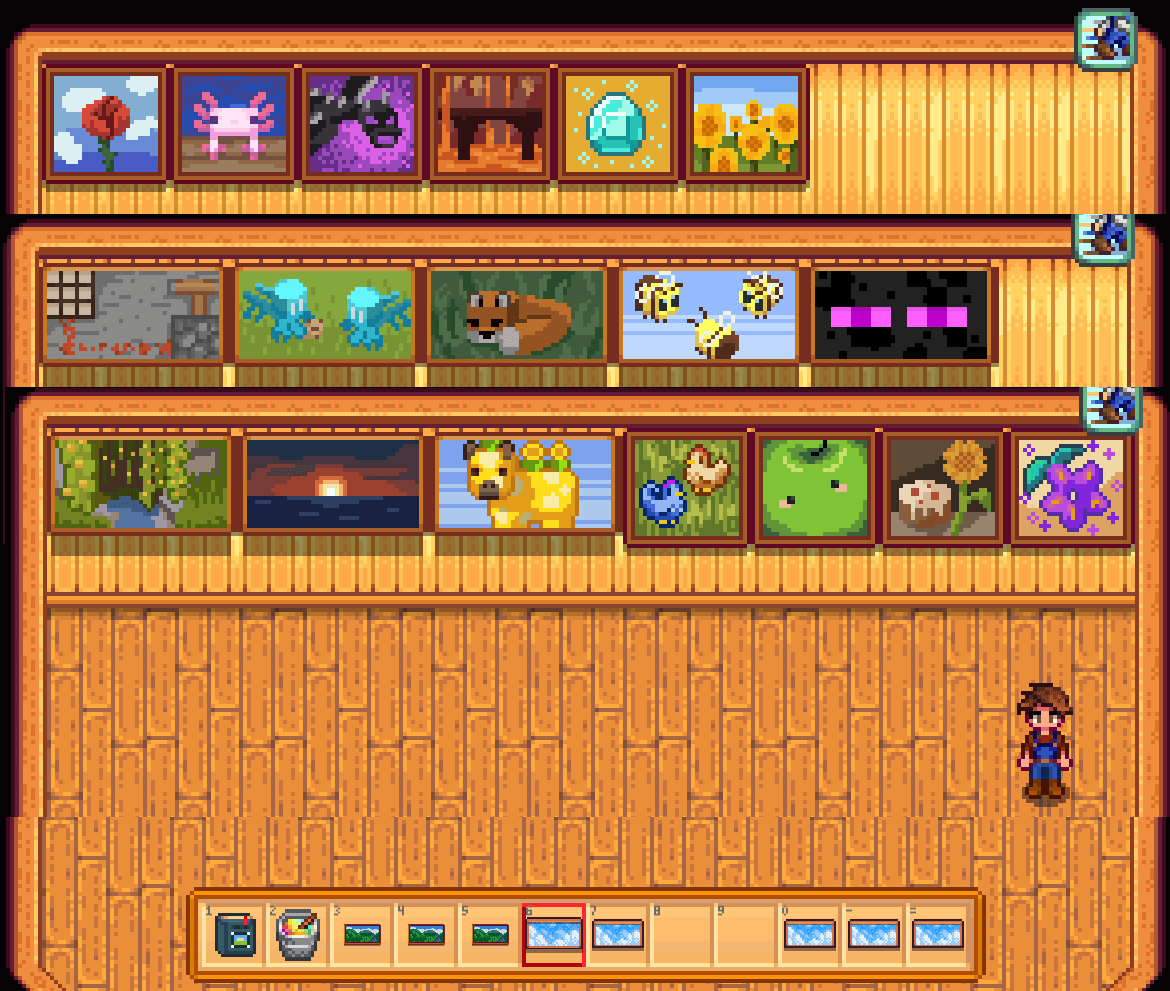
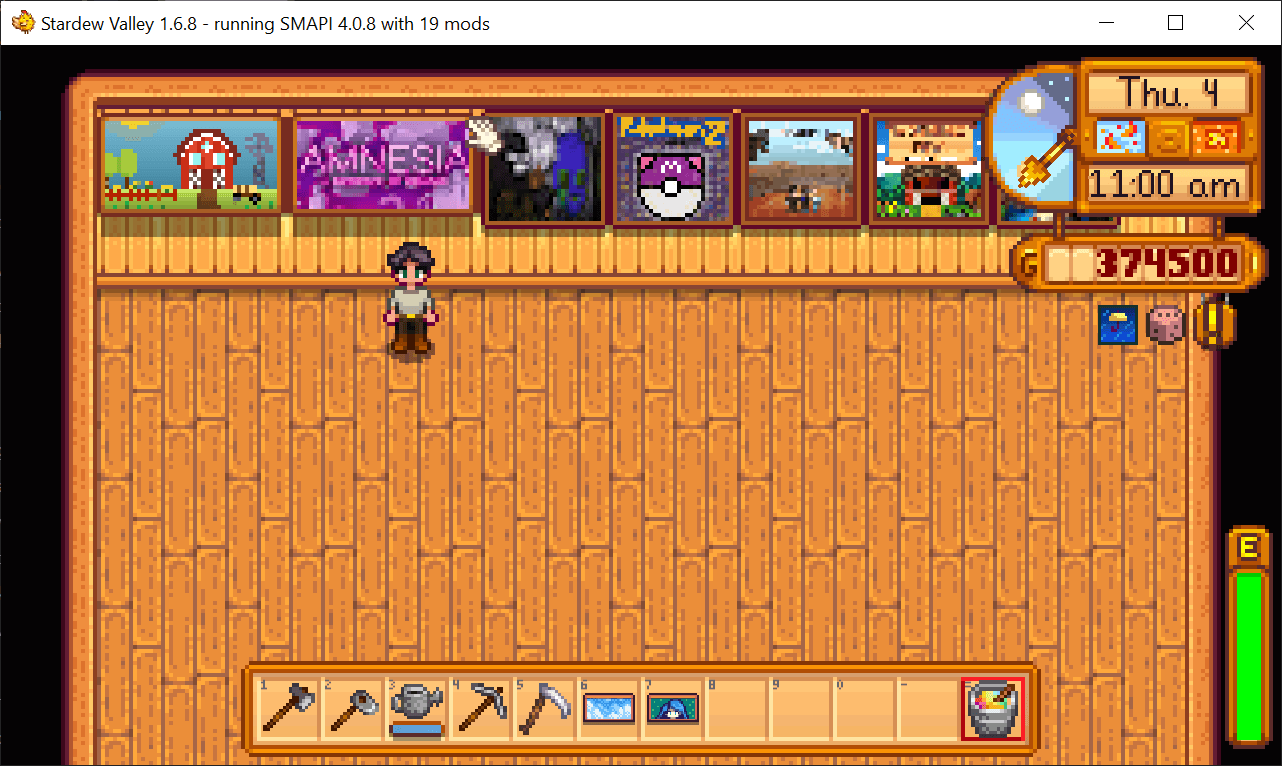
- Paintings: 41 paintings, including artwork from Kehaan's Alternative Textures mods and modpacks.
- Mailboxes: decorative mailbox variants based on the author's mailbox designs.
- Scarecrows: 21 decorative scarecrow variants.
- Casino decorations: five colored Slot Machines and Bouncer's Hoodie & Coat Rack.
- Other decorations: barrel variants, statues, furniture, and other objects.
- Enable or disable each decoration individually through GMCM or
config.json. All are enabled by default. - Furniture names have i18n support; this does not establish that any particular translation is included.
The body uses the first four official screenshots in their original order. Screenshot 4 is a windowed capture whose title bar shows Stardew Valley 1.6.8, SMAPI 4.0.8, and 19 mods; some paintings also show other artwork titles. That is the author's environment and does not mean installing this pack alone provides those other mods, or that the image shows the complete current set.
Version, requirements and installation
Pack version: 1.1.1. The selected file lists Stardew Valley 1.6.15; compatibility with other versions is not claimed here. The manifest identifies this as a Content Patcher pack. Install a working SMAPI and Content Patcher setup first. Generic Mod Config Menu (GMCM) is optional for in-game configuration; config.json can also be edited.
- Extract the downloaded ZIP and place its
[CP] Kehaan’s Additional Decorationsfolder inside the game'sModsdirectory, preserving the contents. - Launch through SMAPI and look for the decorations in the Furniture Catalogue sold at Robin's.
- Individual decorations can be turned off in GMCM or the config file without removing the pack.
Screenshots